

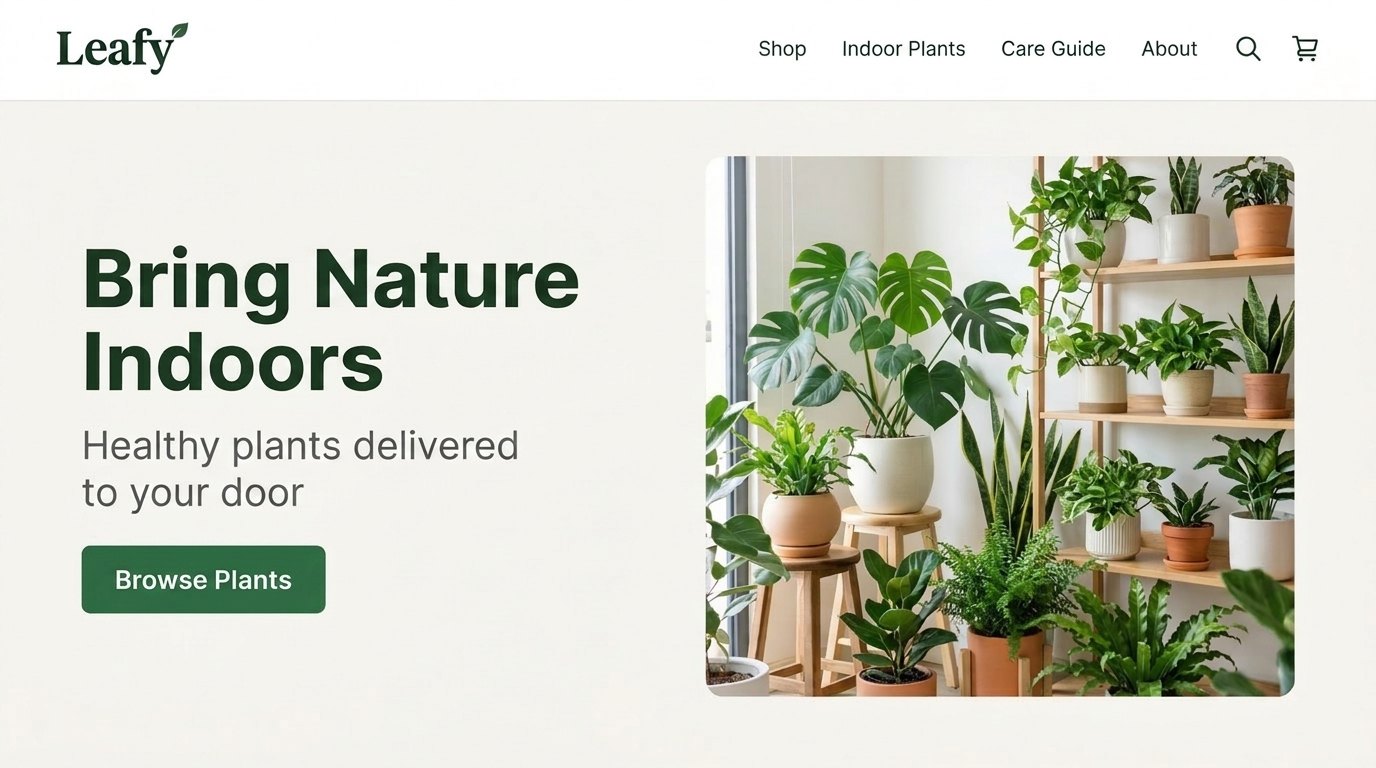
 OriginalEdited
New headline and button
"Grow Your Indoor Jungle" became "Bring Nature Indoors" and the button now reads "Browse Plants".
Screenshot text editor
Paste a screenshot, mark a headline, label or number, and type the new text. The AI matches the screen font, so your edited screenshot looks like the real capture.
Try a sample
OriginalEditedDrag the handle to compare.
Screenshots are flat images, so you cannot click into them to fix a word. This screenshot editor lets you edit text in a screenshot anyway: mark the part to change, describe the new text, and the AI redraws it in the same UI font, size and color.
Teams use it to update product screenshots for docs and release notes, fix a typo in a slide, translate a mockup, or hide test data by replacing it with sample values, without rebuilding the page and taking a new capture.
Press Ctrl+V / Cmd+V anywhere on the page, click Paste Screenshot, or upload the PNG.
Draw a box around each headline, button, label or number you want to change.
Write "Replace @Area 1 with …" for each area, apply, and download the edited screenshot.
OriginalEdited"Grow Your Indoor Jungle" became "Bring Nature Indoors" and the button now reads "Browse Plants".
New accounts get free credits for a first edit. Each later edit costs credits by model, shown before you apply.
Yes. The AI copies the screen font, weight, color and spacing of the text you mark, so the edit blends with the rest of the interface.
Clear screenshots of websites, apps, slides and documents. Tiny text works better when you crop the screenshot first.
No. Editing receipts, payment confirmations, chats or official documents to deceive people is not allowed, and such requests are refused.